
SA302 & Tax Year Overview Download Checklist
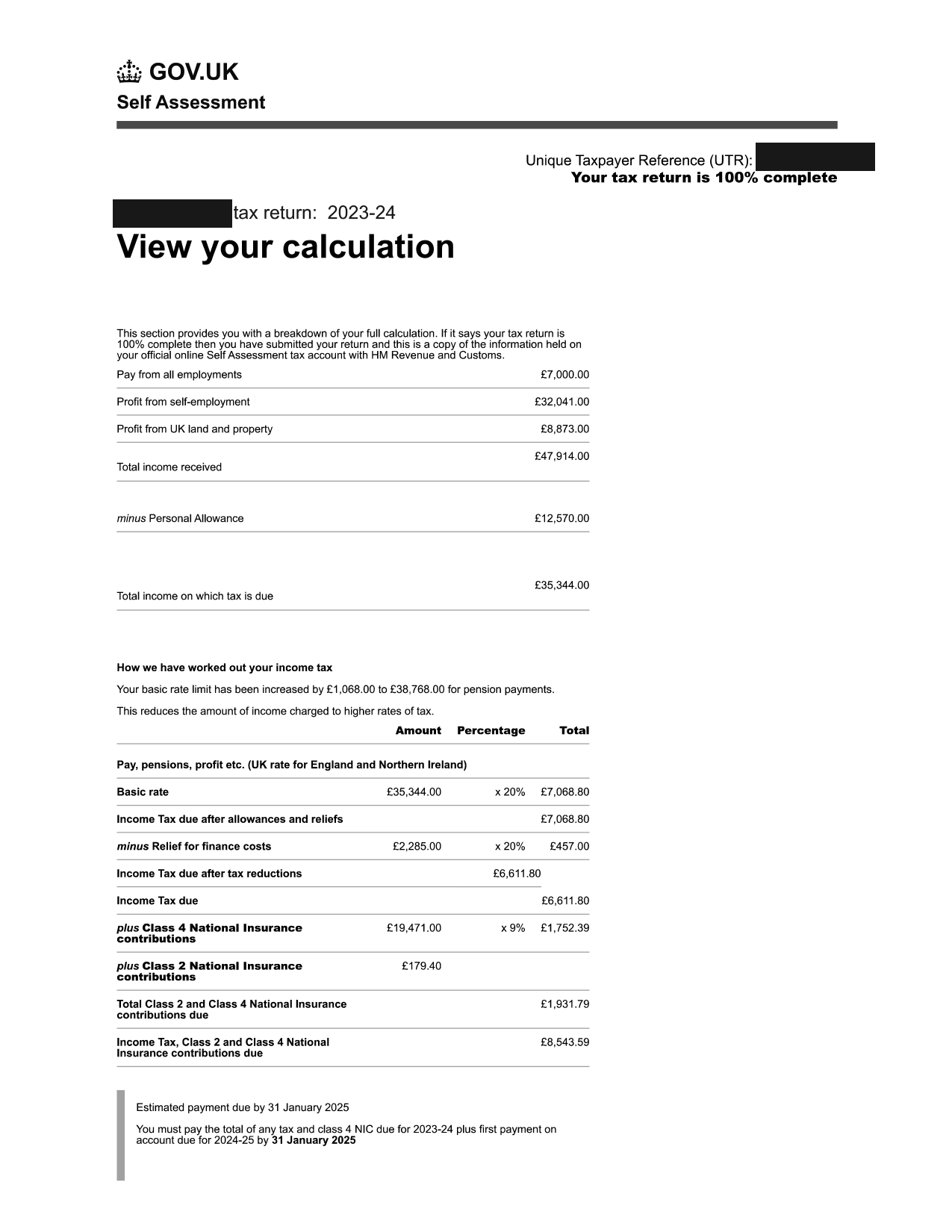
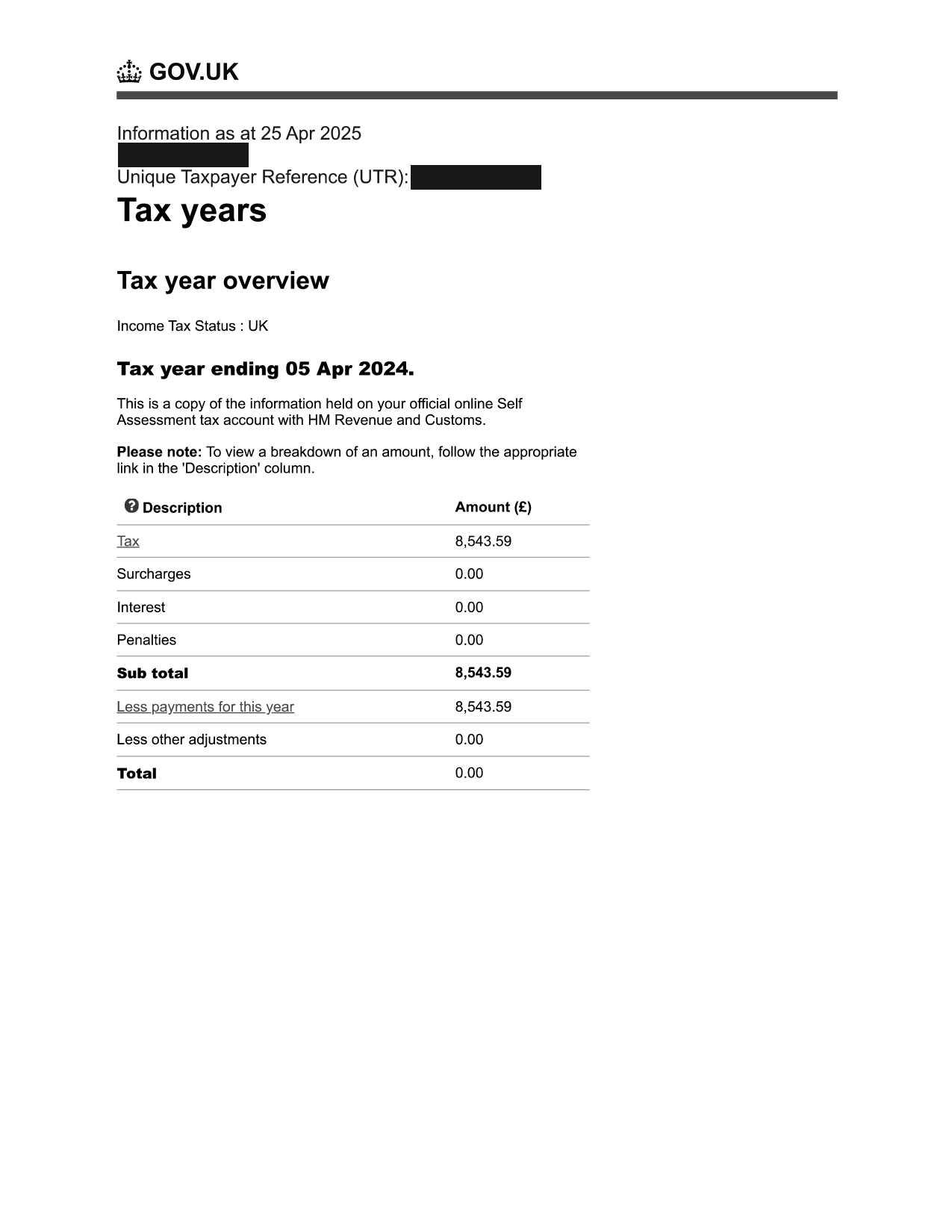
If you’re self-employed or receive income from rental properties, you will need to prove your income using your Self Assessment Tax Calculation (SA302) and Tax Year Overview.
If you have an accountant they should be able to provide you with these documents.
However, if you file your own tax returns this guide takes you through the steps you need to download the correct documents.
Before You Start
- Have your Government Gateway login ready
- Ensure your Self Assessment return is submitted
- If you’ve only just submitted your tax return you’ll need to wait 72 hours after submission for documents to be available
Download SA302 Tax Calculation
- Go to HMRC SA302 page
- Log in with your Government Gateway credentials
- Click Self Assessment
- Scroll down to Previously filed returns
- Click the most recent tax year
- Choose the year from the drop down menu and select the Go button
- Select the View return button
- On the right hand menu click View your calculation
- Scroll to the bottom and click View and print your calculation
- Scroll to the bottom and click the button Print your calculation
- Scroll to the bottom and Click Print your Calculation
- Save as PDF (Example below)
Download Tax Year Overview
- On the right hand menu click Tax return options
- On the right hand menu click View account
- Click Tax years
- Select the correct Tax year
- Click Go
- Click Print your tax year overview
- Save as PDF (Example below)
Notes
- Lenders will need to see a minimum of the latest 2 years
- The date of the latest year needs to be no less than 18 months ago
Below are examples of the documents you are looking for:
 Chat with us on WhatsApp

